Android 17 Update Wipes Widgets for Pixel Users: What We Know and How to Fix It

The rollout of a new major Android update is usually an exciting time for Google Pixel owners, bringing fresh features and UI refinements. However, the recent Android 17 update has introduced a frustrating bug that is leaving many users with empty home screens.
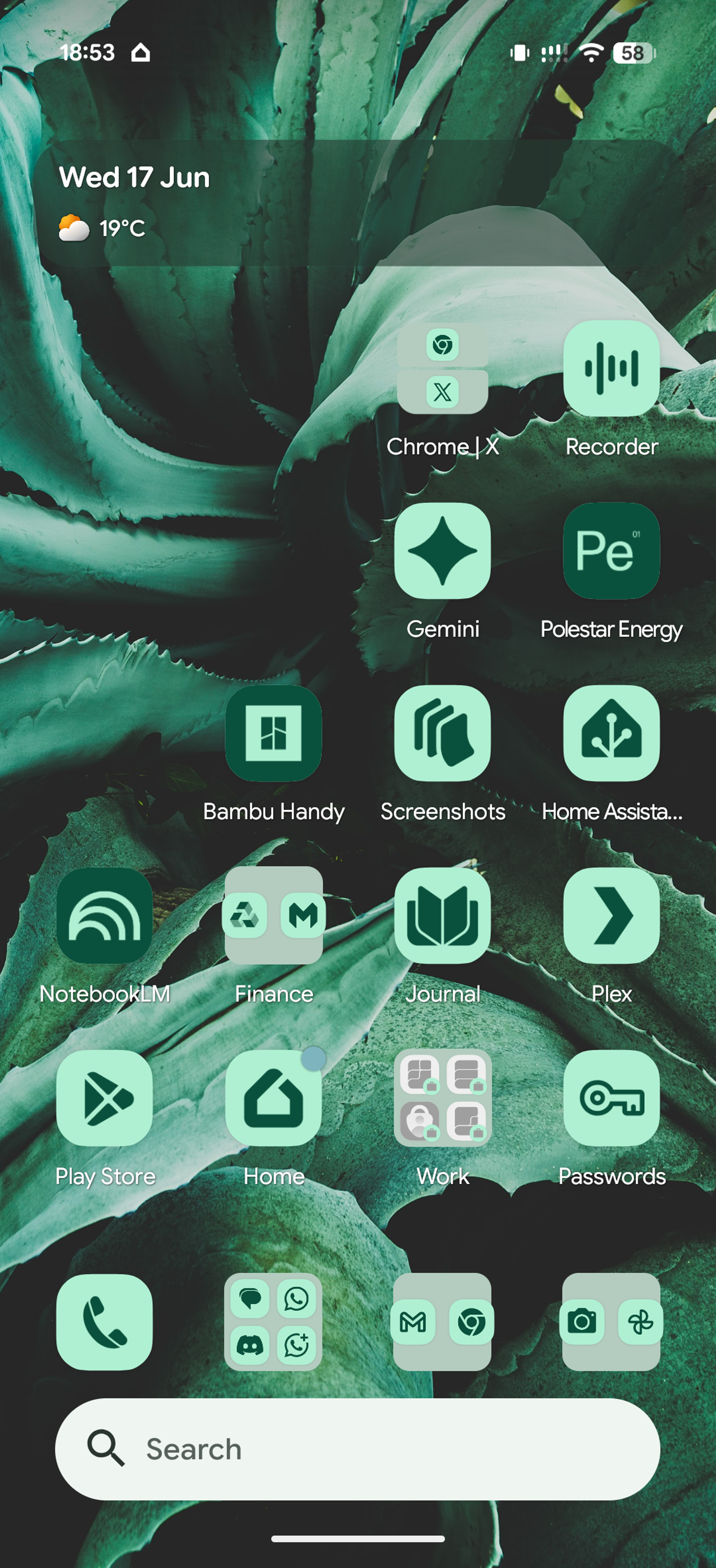
Gaping hole, where widgets are supposed to be.
According to a growing number of reports on the r/GooglePixel subreddit, updating to Android 17 causes home screen widgets and the Google Search bar to completely disappear.
Here is a breakdown of the issue, who is affected, and the current workarounds available.
The Root Cause: The Work Profile Conflict
While the bug initially appeared random, users quickly identified a common denominator: Android Work Profiles.
The vast majority of affected users have a work profile set up on their devices (often managed by mobile device management software like Microsoft Intune). It appears that Android 17 is struggling to properly render widgets when a work profile is active. If a user boots their phone in Repair Mode (which disables the work profile), the widgets function normally.
Affected Devices
The issue doesn't seem isolated to a specific generation of Pixel hardware. Users have reported the bug across a wide range of devices, including:
- Pixel 10, 10 Pro, 10 Pro XL, and 10a
- Pixel 9, 9 Pro, and 9 Pro XL
- Pixel 8, 8 Pro, and 8a
- Pixel 7 and 7 Pro
The Frustration: A Known Beta Bug
Adding fuel to the fire, this is not a new issue. Users noted that this bug has been present in the Android 17 beta for months. Despite being flagged in the issue tracker well before the public release, it seems to have slipped through to production, leaving users baffled by the lack of Quality Assurance.
Current Workarounds and Fixes
Until Google pushes an official software patch, the community has banded together to find workarounds. Unfortunately, most of these are temporary and will reset if you restart your phone.
1. The Temporary Tricks (Breaks on Reboot)
If you need your widgets back immediately but cannot afford to mess with your work profile, try these temporary solutions:
- The Extreme Battery Saver Trick: Turn "Extreme Battery Saver" on, wait a moment, and then turn it back off. This essentially pauses and unpauses all apps, forcing the widgets to reload.
- The Focus Mode Trick: Create a Focus Mode that includes all the apps you use widgets for. Enable and then disable Focus Mode to bring the widgets back.
- Disable/Enable Apps: For stubborn widgets (like the Google Search bar or Clock), go into your settings, disable the specific app, and re-enable it. You may have to manually add the widget back to your home screen afterward.
Note: All of the above methods will revert the moment you reboot your device, meaning you will have to repeat the process.
2. The "Nuclear" Option (Permanent)
If you want the widgets fixed permanently, the only consistent solution is to completely remove your Work Profile. Once deleted and the phone is restarted, widgets will return to normal. However, if you recreate the work profile, the widgets will break again. Since setting up IT authentication is often a massive pain, this isn't a viable option for many professionals.
3. The IT Administrator Fix (For Intune Users)
If your company uses Microsoft Intune, one clever user found a backend solution. IT administrators can go into Intune and change the Android Enterprise > Templates > Device Restrictions setting for "Allow widgets from work profile apps" from "Enabled" to "Not configured".
This will prevent work widgets from being used on the home screen, but it will successfully restore all personal widgets without requiring the user to delete their work profile.
What's Next?
For now, users are encouraged to upvote the issue on the Google Bug Tracker to increase its visibility. Given the widespread nature of the problem and the importance of both widgets and work profiles to the Android ecosystem, a hotfix from Google is hopefully right around the corner.


