Best IPTV Apps for All Platforms 2026
Find the Best IPTV Apps 2026 for Apple TV, Android TV & Fire TV (Updated Guide)

IPTV is one of the best ways to watch your favourite channels. While there are many free-to-play options out there such as Pluto TV, the real power of IPTV lies in pairing a top-tier application with a premium service provider.
Before we dive in, let me be absolutely clear: you need a VPN. I recommend NordVPN to make sure you're protected and don't get bandwidth throttled by your internet service provider. The net is closing in on IPTV users who fail to obfuscate their connection data — don't be one of them. NordVPN is essential when your IPTV is blocked by your ISP.

NordVPN
Imagine VPN as a secure, encrypted tunnel for online traffic to flow. Nobody can see through the tunnel and get their hands on your internet data. NordVPN gives you peace of mind each time you use public Wi-Fi, access personal and work accounts on th...
I'll recommend the best IPTV apps to use across every major platform. I'll cover Android TV, Google TV, Amazon Fire TV, Apple TV, iOS, macOS, Samsung Tizen, LG WebOS, and desktop environments. By 2026, the landscape has shifted dramatically — the software layer is now the primary arena for market differentiation, and I'm here to help you navigate it.
The 2026 IPTV Landscape
The landscape of IPTV applications has undergone a significant architectural transformation. As hardware capabilities of consumer streaming devices — such as the Nvidia Shield, Apple TV 4K, Google TV Streamer, and Amazon Fire TV Cube — have reached processing parity with traditional cable set-top boxes, the software layer has become everything.
Modern IPTV applications no longer rely on raw M3U playlist parsing. The industry standard has shifted aggressively toward the Xtream Codes API. This mechanism requires only a server URL, username, and password, offloading database management to your provider's server. The result? Exponentially faster channel loading, dynamically updated VOD libraries with TMDB metadata scraping, and highly reliable Catch-up TV integration.
Furthermore, top-tier applications now natively pass video decoding to your device's dedicated media silicon — whether that's the A15 Bionic in the Apple TV or the Tegra X1+ in the Nvidia Shield. This means uncompressed 4K streams with full HDR10 and Dolby Vision metadata, all without compromising UI fluidity.
Best IPTV Apps for Android TV, Google TV & Amazon Fire TV
The Android-based ecosystem remains the most flexible, open, and widely utilised environment for IPTV consumption. The side-loading capabilities of Android inherently foster a highly competitive development environment.
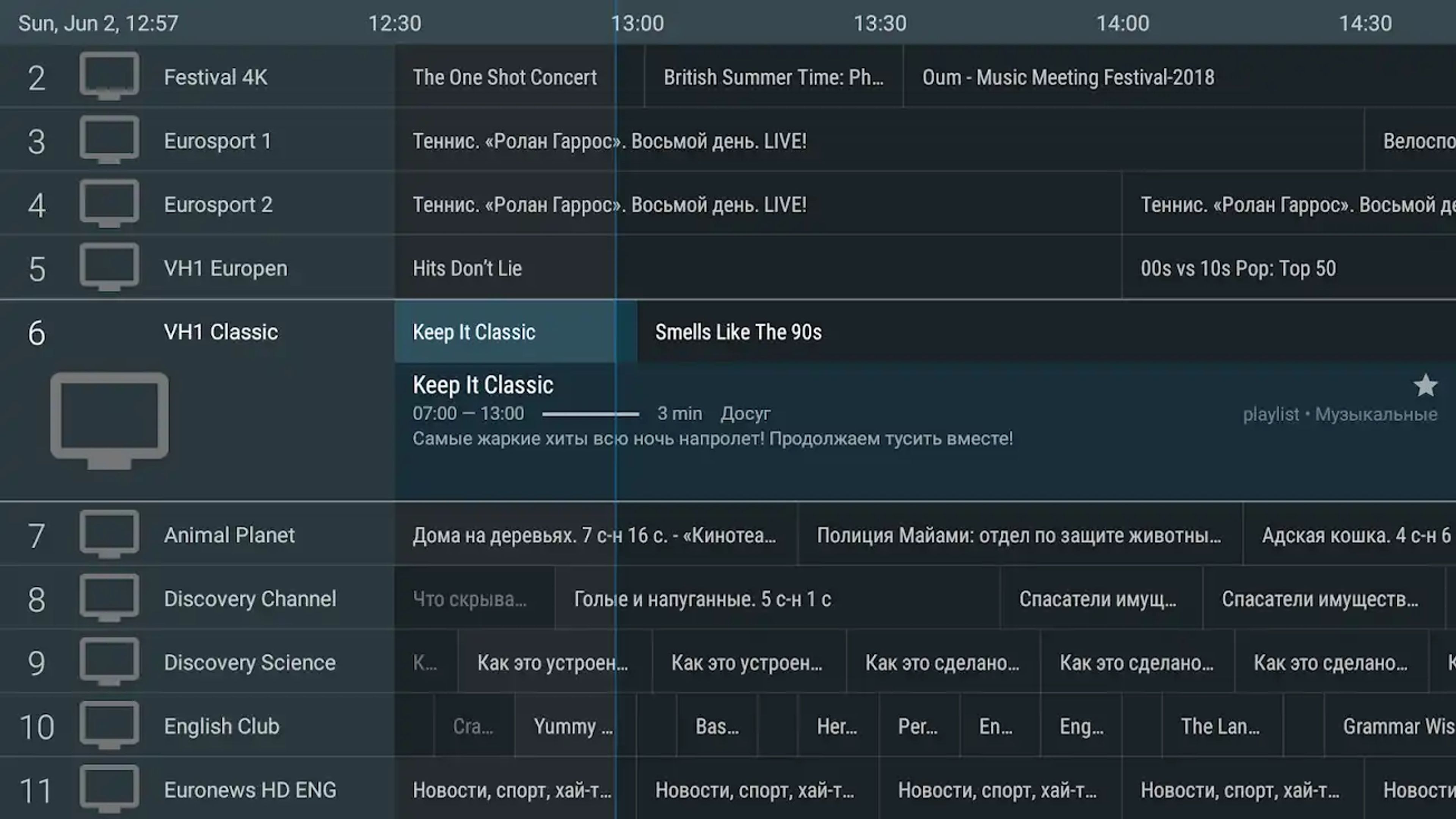
TiviMate: The Undisputed Android Standard
Tivimate is hands down the best IPTV app for Android TV, Google TV, and Amazon Fire TV. It is fast, intuitive, and its design closely resembles Android TV's native interface. It is the definitive gold standard — and for good reason.
TiviMate's architectural superiority stems from its explicit design for set-top boxes and smart televisions. It completely ignores mobile touch interfaces in favour of a strictly remote-control-optimised user experience. By 2026, the software's codebase has been heavily optimised for native 4K and 8K streams, ensuring a remarkably lightweight memory footprint that actively prevents buffering, even on older Firestick hardware.
The 2026 feature set introduces several critical upgrades:
- Advanced Multi-Screen Capability (Multi-view): Decode and watch up to four live broadcasts simultaneously on a single screen. An absolute game-changer for sports fans.
- Comprehensive EPG Management: Assign multiple XMLTV sources to a single playlist with aggressive auto-updating algorithms that virtually eliminate the frustrating "No Information" errors.
- Scheduled Recording to NAS: Record live television directly to networked attached storage devices or local external drives. Your recordings are centralised, accessible from any device on your home network.
- Cloud Synchronisation: Back up UI settings, extensive playlists, and favourited channels to a localised network or cloud server, enabling instant restoration on secondary screens — perfect for multi-TV households.
- Catch-Up TV: Seamlessly scroll backward through the EPG timeline to view previously aired content, provided your host server supports this functionality.
TiviMate operates on a freemium model. The free tier provides basic playback validation, but the true functionality is unlocked behind the Premium tier, offered as either an annual subscription or a highly sought-after, cost-effective Lifetime Key (£4.49 per year or a one-time lifetime purchase).
Important: TiviMate doesn't include any TV sources. You need to add playlists from your IPTV/OTT provider to watch live TV channels. Only Android set-top boxes are supported (the mobile version is under development).
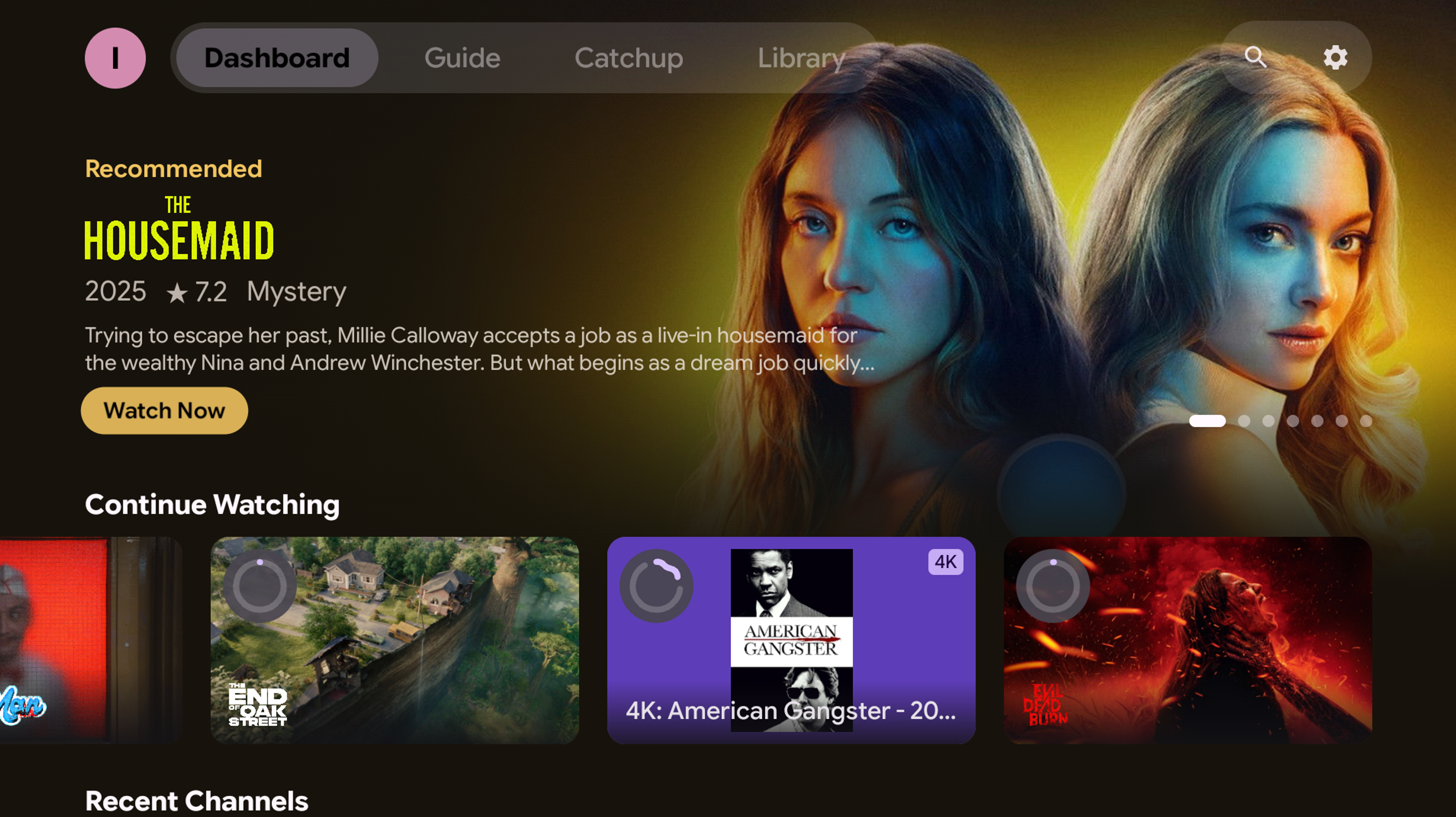
Material IPTV & Plex Player: The Generous Newcomer
If you are looking for maximum value and a truly modern user experience, Material IPTV needs to be at the very top of your list. Built entirely on Material Design 3 principles, this app brings a gorgeous, responsive, and deeply personalised interface to your live TV and VOD content.
What truly sets it apart, however, is its incredibly generous pricing model: nearly every single feature is completely free. The only feature tucked behind a subscription is the management of Multiple Playlists. If you just need to connect a single provider, you get an unrestricted, ultra-premium experience without spending a dime.
A Beautiful, Responsive Interface
Say goodbye to clunky, outdated IPTV interfaces. Material IPTV integrates "Material You" dynamic theming, actively adapting its colour palette to match your device’s system colours for a perfectly harmonised look. It is built from the ground up to feel incredibly fast, fluid, and native.
Key Features:
- Versatile Connections: Supports local/remote M3U and M3U8 playlists, full Xtream Codes API integration (for dedicated Live, VOD, and Series layouts), and remarkably acts as a First-Class Plex Client. You can sign in via Plex PIN-based OAuth, browse libraries, select custom transcode profiles or DirectPlay, toggle subtitles, and sync watch timelines.
- Premium Playback Engine: Powered by hardware-accelerated ExoPlayer on Android (and MediaKit on other platforms). It supports zero-copy tunneled playback on Android, Picture-in-Picture (PiP) for multitasking, and seamless background media session integration (control playback via your lock screen, Bluetooth devices, and Android Auto).
- AI-Powered Recommendations: In a massive leap forward for IPTV, it features integrated taste-affinity scoring powered by Google's Gemini models, delivering personalised, context-aware suggestions for Live TV and VOD based on your unique watch history.
- Zero-Lag EPG & Catch-up: Custom, zero-dependency XMLTV parsing runs invisibly in the background to ensure your UI never stutters, alongside full catch-up support for replaying past shows on compatible channels.
- TMDB & TVDB Enrichment: Missing artwork is a thing of the past. The app automatically fetches high-quality movie/show posters, backdrops, and cast details to make your library look like a premium streaming service.
- E2E Encrypted Cloud Sync: Securely back up your playlists, favourites, and watch progress. Everything is end-to-end encrypted with a custom passkey and optional biometric locks (Face ID / Fingerprint) for ultimate privacy.
PVR Live: Deep System Integration
PVR Live represents a fundamentally different approach to IPTV consumption. Rather than operating as an isolated application, PVR Live is engineered to integrate deeply with Android TV's native Live Channels application. It allows you to pause, record, and utilise system-level Picture-in-Picture modes — seamlessly blending third-party IPTV streams with native over-the-air broadcast television inputs.
A unique feature of Google's Live Channels app is the ability to start watching a recording before it finishes. If you schedule a recording because you can't watch live or get home before it ends, you can start watching immediately — even if it hasn't finished. PVR Live costs 99p per month or a one-off cost of £4 for the Plus version.
IPTV Smarters Pro: Best for Rapid Setup
IPTV Smarters Pro remains a highly popular alternative, primarily due to its ubiquitous cross-platform availability and frictionless setup process via native Xtream Codes API login portals. While its user interface may feel utilitarian compared to TiviMate's cinema-grade design, you simply cannot beat it for getting up and running in under a minute.
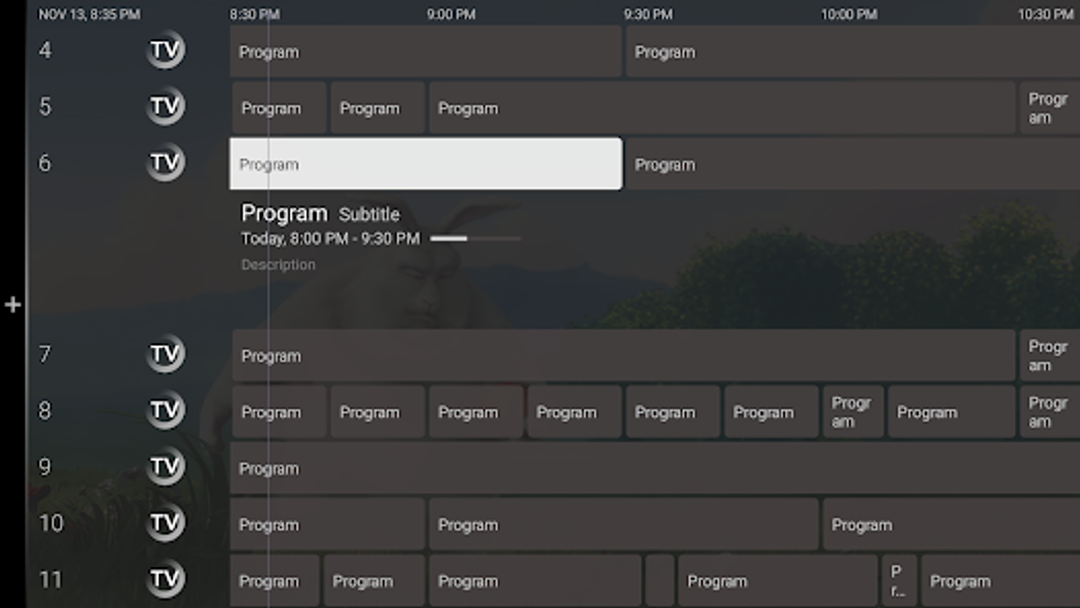
Sparkle TV: The Rising Contender
Sparkle TV - IPTV Player is the spiritual successor to PVR Live, developed by the same creator after Google abandoned the Live Channels app. Sparkle leverages the 'leanback' library for Android TV to simplify app navigation. Its developer is dedicated and talented, consistently releasing regular updates. Key features include Multi-view, DVR for scheduled recordings, VOD catch-up, Auto Frame Rate (AFR), and home screen integration. Sparkle costs 99p per month or a one-off cost of £4. Keep an eye on this app — it will definitely give TiviMate a run for its money.
Best IPTV Apps for Apple TV, iOS & macOS
Historically, the Apple ecosystem severely lagged behind Android in IPTV support due to stringent App Store regulations. However, by 2026, the tvOS and iOS landscape has evolved dramatically, boasting some of the most beautifully engineered, premium applications in the entire industry.
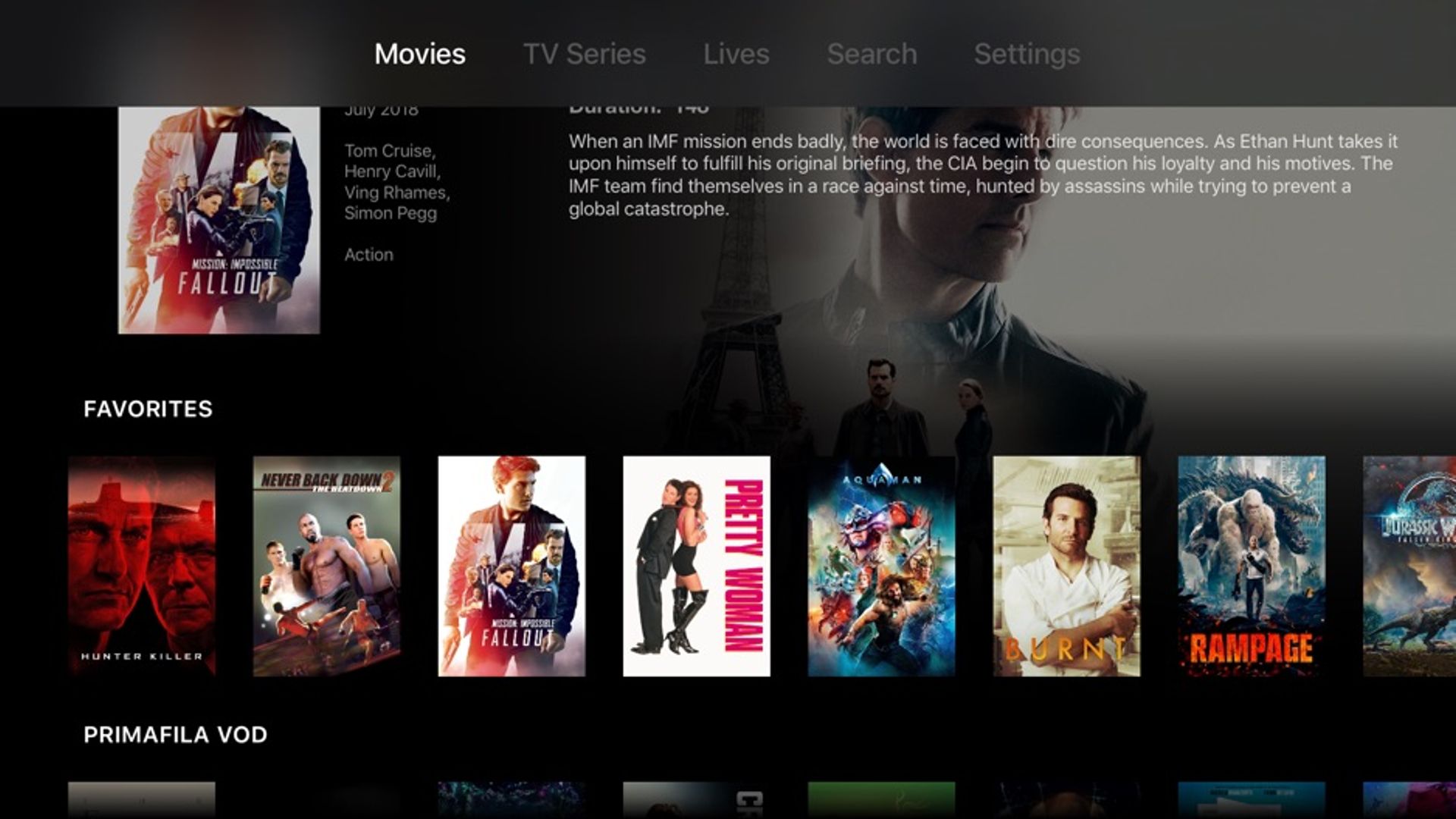
IPTVX: The AI-Enhanced Premium Experience
IPTVX has aggressively positioned itself as the ultra-premium option for Apple TV and the broader Apple ecosystem. Created by Matteo Gobbi — a software engineer who previously worked at Twitter and Google on iOS apps — IPTVX is arguably the most beautiful IPTV application ever built. Its design mimics Netflix's layout, borrowing features such as the ability to resume watching a movie from where you left off.
The most significant innovation for IPTVX in 2026 is the introduction of a native AI Companion. This interactive panel allows you to receive real-time live recaps, contextual historical information, live sports statistics, and answers to queries — all while simultaneously watching live broadcasts or VOD content. Furthermore, IPTVX now pairs directly with the proprietary IPTVX Media Server, allowing you to record live streams directly to a Mac or NAS.
The downside? IPTVX relies on a relatively expensive recurring subscription model (approximately $70 CAD for an annual family plan, or £4.49 minimum monthly subscription). The free version is heavily restricted, functioning essentially as a trial with frequent playback interruptions. This monetisation strategy has caused a notable schism within the Apple user base.
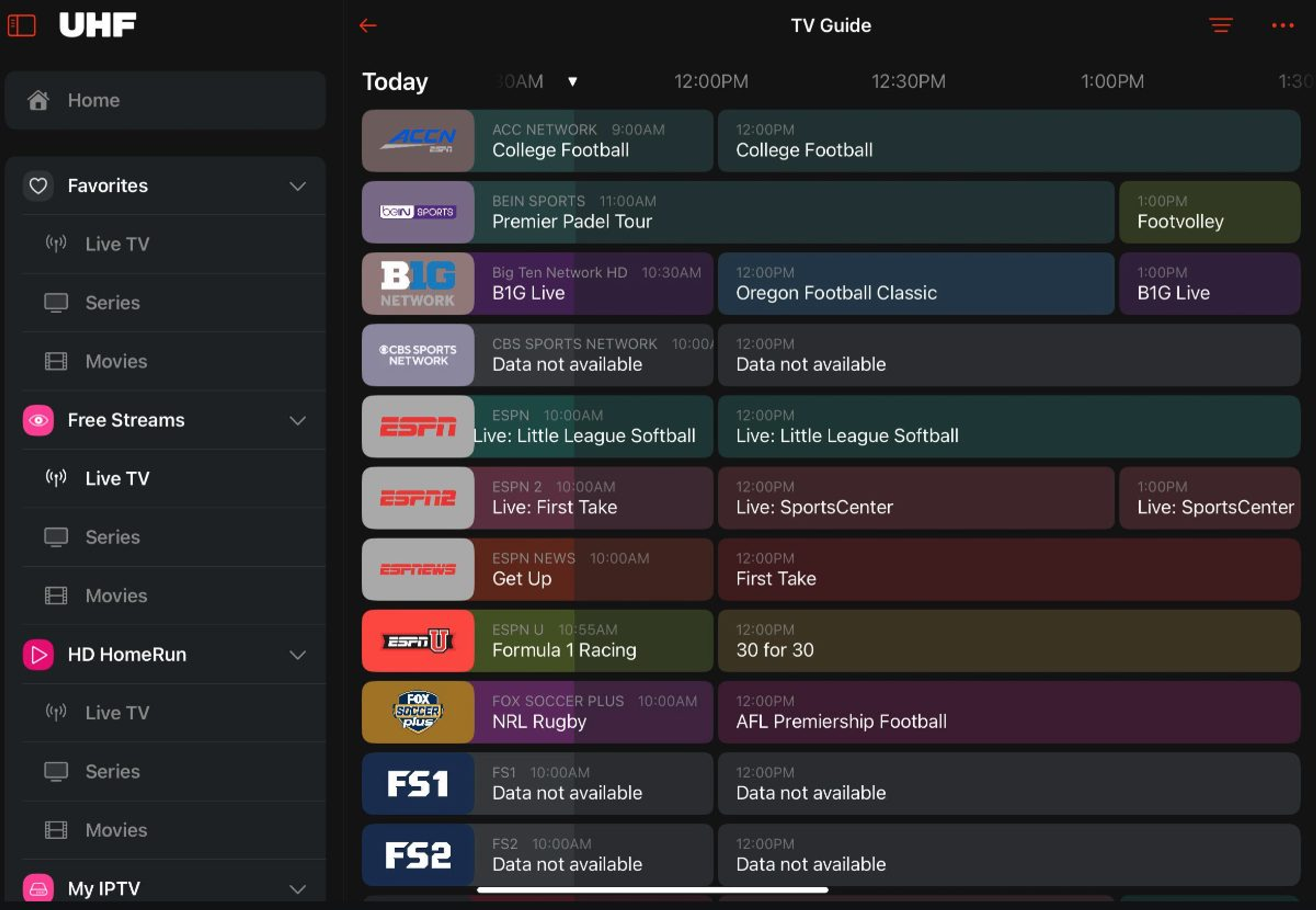
UHF: The Ultimate Value Proposition
Capitalising on consumer fatigue generated by IPTVX's subscription model, UHF has rapidly ascended the Apple TV App Store rankings in 2026. UHF provides a highly polished, incredibly stable, and cleanly designed interface that feels natively "Apple." Performance metrics are exceptional — fast channel loading, crisp 4K VOD playback with superior AVFoundation hardware decoding, and zero noticeable buffering.
The defining advantage of UHF is its pricing structure: it offers a permanent lifetime purchase option (approximately $45 or £45) alongside a nominal monthly fee (£2/month) for users wishing to test the software. UHF fully supports the entire Apple hardware stack — Apple TV, iPad, iPhone, and Mac — with seamless, instantaneous settings and playlist replication handled entirely through iCloud. If you're an Apple user looking for the best balance of performance, design, and value, UHF is my top recommendation.
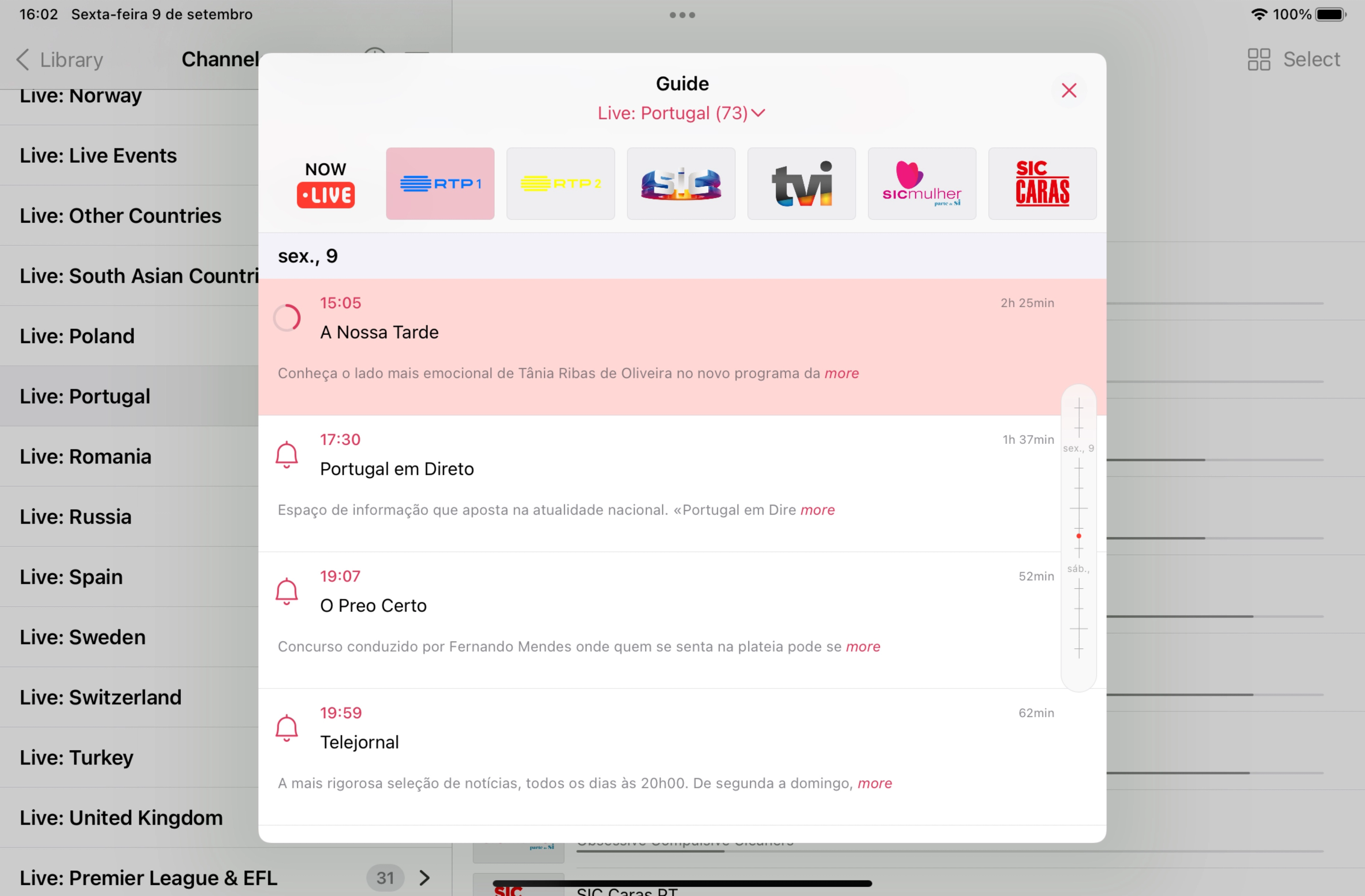
iPlayTV: The Budget Veteran
iPlayTV remains a formidable veteran contender, particularly its modernised AIO (All In One) iteration. It is heavily praised for its structural simplicity, high stability, and a highly accessible one-time purchase model (averaging £5.99). iPlayTV supports remote and local playlists, Xtream Codes, and allows users to switch between multiple player engines, including deep integration with the VLC rendering engine for difficult stream codecs. Key features include multi-playlist support, channel search, favourites management, full EPG support, and AirPlay 2.
Best IPTV Apps for Samsung Tizen & LG WebOS
The native operating systems utilised by major television manufacturers — specifically Samsung's Tizen and LG's WebOS — present a unique challenge. These televisions do not run Android OS, meaning powerhouse applications like TiviMate are entirely unavailable natively. You must either purchase an external streaming device (like a Firestick 4K Max or Apple TV) or rely on specialised applications built specifically for these walled gardens.
For Samsung Tizen, IBO Player is the optimal native solution — lightweight and responsive, accepting M3U and Xtream Codes. For LG WebOS, IPTV Smarters Pro remains the most reliable option available in the LG Content Store, with native Xtream Codes API support, Magic Remote compatibility, and 4K HDR support. Nanomid and Smart STB act as highly accurate MAG box emulators, though they require a paid MAC address activation license after a trial period.
Best IPTV Apps for Desktop (Windows & macOS)
For Windows, VLC Media Player remains the undisputed king of protocol handling — its rendering engine can ingest massive M3U8 files and complex codecs with zero frame drops, leveraging raw GPU hardware acceleration. IPTV Smarters Pro is also available via the Microsoft Store for a cleaner, mouse-and-keyboard-optimised experience. Kodi (with the PVR IPTV Simple Client add-on) offers a highly modular, customisable viewing environment for power users.
On macOS, users benefit immensely from Apple Silicon (M-series processors). Because macOS can now execute iOS and iPadOS applications natively, powerhouse apps like UHF and IPTVX can be installed directly on MacBooks and Mac Studios, carrying over their tailored interfaces and iCloud sync capabilities. For a more traditional desktop media management experience, Infuse 7 excels at metadata scraping and presents a pristine, Netflix-style library format for VOD-heavy IPTV links.
Final Verdict
- Android TV, Google TV, or Fire TV: Get TiviMate with a Lifetime Key. It is the undisputed king.
- Apple TV (best experience regardless of cost): IPTVX with its AI companion and Media Server is unmatched.
- Apple TV (best value): UHF with its $45 lifetime purchase and flawless iCloud sync is the smart choice.
- Samsung Smart TV: IBO Player is your best native option.
- LG Smart TV: IPTV Smarters Pro is the way to go.
- Desktop: VLC for raw power on Windows; UHF or Infuse 7 for a polished experience on Mac.
Whatever you choose, pair it with a premium provider and always, always use a VPN.


